Extract
"Golden Moments" Instantly.
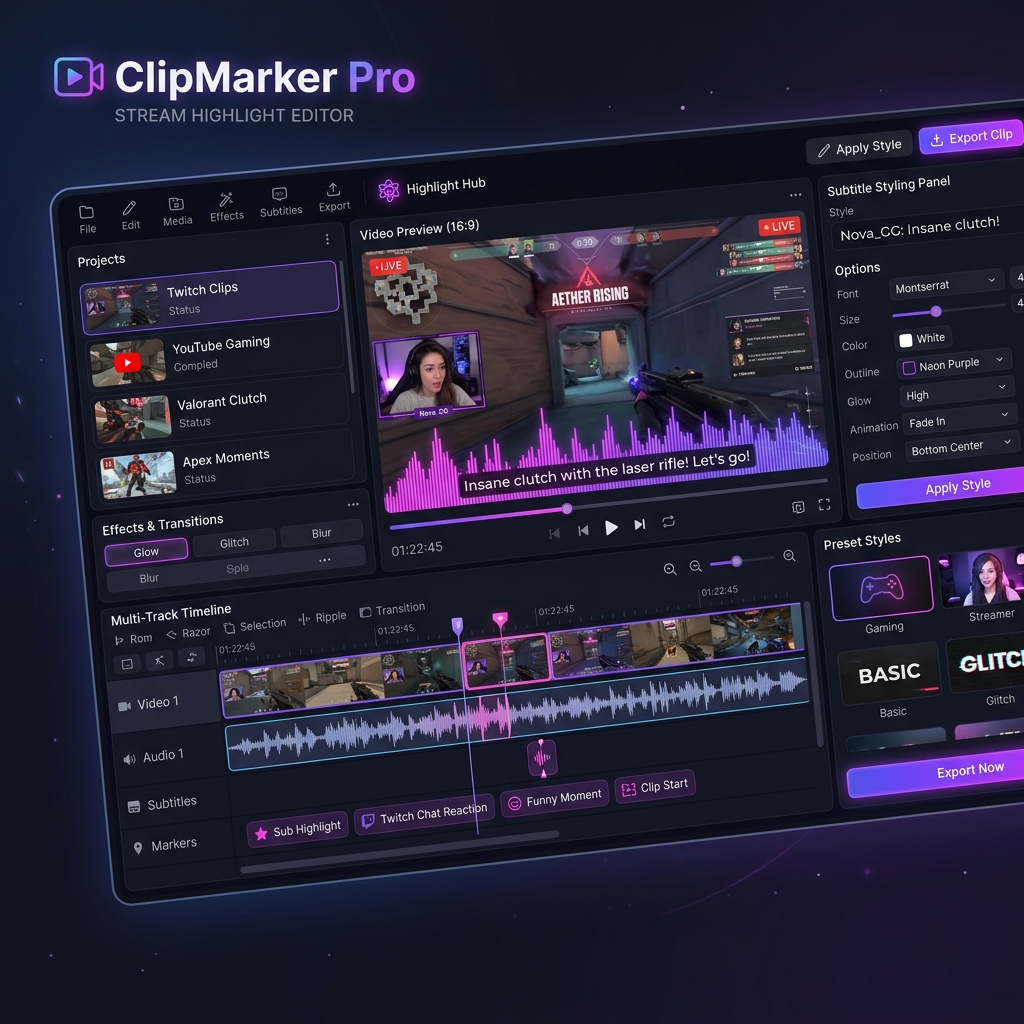
ClipMarker Pro is a Windows-exclusive video editor specialized for stream clips, featuring automated clipping via manual in-stream markings and automatic subtitle colorization by speaker. It automates tedious manual tasks to dramatically cut your editing time.
Auto-Clipping
Save Editing Time
Speech Transcription
Speaker Colorization
Tired of These Tedious Tasks in Stream Clipping?
Creating videos from long stream archives requires immense time and repetitive manual tasks.
Time Slips Away Finding the Best Moments
Rewatching 4-hour or 8-hour stream archives from the beginning to manually locate "funny moments" or "clip points" is mentally and physically exhausting.
Tedious Speaker Color-Coding
Subtitle work in chit-chat or collab streams. Listening to identify speakers, typing manually, and color-coding fonts for each individual takes an enormous amount of time.
Lag and Glitches in Heavy Software
Editing long video files causes lag, accidental shifts in subtitle positions, and annoying bugs where the player randomly seeks or clears selected clips during list updates.
Revolutionizing Your Stream Clipping Workflow
Automate the two biggest bottlenecks: "Finding key moments" and "Speaker captioning".
In-Stream Marking & Automated Archive Clipping
Just click once during your stream whenever a highlight happens. Import this marker data into the software to instantly extract and clip those scenes from hours of archive footage. No more scanning through whole streams to find funny parts, dramatically slashing your editing hours.
- One-click marking of clip points during streams
- Substantially reduces manual highlight searching
- Batch auto-trimming of multiple clips
AI Auto-Transcription & Speaker Colorization
Powered by an AI speech recognition engine, the editor auto-transcribes imported videos to generate text captions instantly. Its advanced speaker separation algorithm accurately identifies "who is speaking" even in collabs or group chats, and automatically color-codes subtitles by individual speaker.
- Ultra-fast & high-accuracy AI transcription
- Speaker separation for collab stream recognition
- Automatic font colorization by speaker, eliminating manual tasks
"Today's collab stream was so much fun!"
"Exactly! Let's definitely do it again!"
Accidental Drag Prevention & Rendering Loop Guard
Professional UX utilizing WPF features. Clicking a subtitle displays its properties without starting a drag, preventing accidental movement. Dragging is only enabled via the outer "border edge" for intuitive resizing and moving. Includes a rendering guard to completely prevent redraw conflict loops between preview operations and slider sync.
- Immediate selection on center click (preventing accidental drag)
- Complete prevention of infinite redraw loops during drags/resizing
- Prevents recursive seeking or forced deselection on clip list refresh
Drag edges to move/resize intuitively
Pre-register for Official Release
ClipMarker Pro is currently undergoing final stability testing. Register your email in the form to be the first to receive notifications when the official release (download) begins.
From the Development Team
"We automated the most time-consuming parts of clipping: 'finding highlights' and 'speaker subtitle colorization' so creators can focus purely on creativity. We can't wait for the release."